CRUX CMB-15T Brugsanvisning
Her er CRUX CMB-15T (Bakkamera) brugervejledning. 2 sider på sprog med en vægt på 1,117,141.0 Mb. Hvis du ikke kan finde svar på dit problem Spørg vores community.
Side 1/2
CMB-15T
Trunk Handle Camera for
MERCEDES BENZ CLA Class 2013 - 2017
- Adds a backup camera to the factory trunk handle.
- Selectable parking guide lines ON or OFF.
- With built-in trunk release switch.
- Maintains the OEM look.
PRODUCT FEATURES:
PARTS INCLUDED:
R
INTERFACING SOLUTIONS
Sightline
CAMERAS
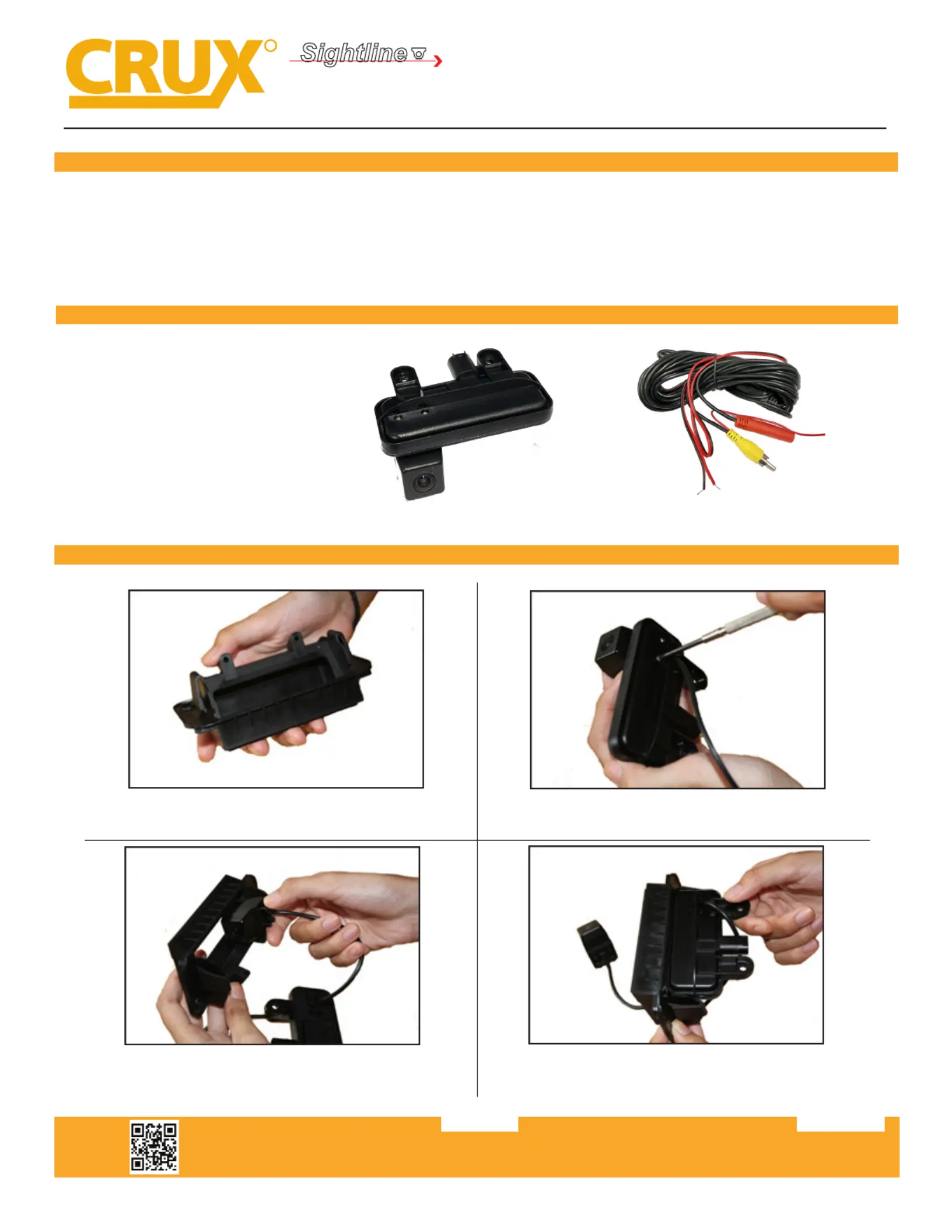
1. Trunk handle camera
2. 20’ extension cable
INSTALLATION INSTRUCTIONS:
1. Remove OE trunk handle and remove the OE trunk
release switch.
2. Remove the 4 screws holding the CMB-15T camera.
3. Slide the camera from the back side of the OE trunk
handle.
4. Posion the CMB-15T base to OE trunk handle and align
the screw holes.
Crux Interfacing Solutions • Chatsworth, CA 91311
phone: (818) 609-9299 • fax: (818) 996-8188 • www.cruxinterfacing.com
rev.0225211
Problemløsning CRUX CMB-15T
Hvis du har læst manualen omhyggeligt, men ikke fundet en løsning på dit problem, bed andre brugere om hjælp
Specifikationer
| Mærke: | CRUX |
| Kategori: | Bakkamera |
| Model: | CMB-15T |