StarTech.com
Netværkskort/adapter
USB3LINK
StarTech.com USB3LINK Brugsanvisning
Her er StarTech.com USB3LINK (Netværkskort/adapter) brugervejledning. 2 sider på sprog med en vægt på 353,783.0 Mb. Hvis du ikke kan finde svar på dit problem Spørg vores community.
Side 1/2
Instruction manual
DE: Bedienungsanleitung - de.startech.com
FR: Guide de l'utilisateur - fr.startech.com
ES: Guía del usuario - es.startech.com
IT: Guida per l'uso - it.startech.com
NL: Gebruiksaanwijzing - nl.startech.com
PT: Guia do usuário - pt.startech.com
Manual Revision: 04/30/2015
For the latest information, technical specications, and support for
this product, please visit www.startech.com/USB3LINK.
Packaging contents
• 1 x USB 3.0 transfer cable
• 1 x instruction manual
System requirements
• Available USB port on both the source and destination computers
• Windows Easy Transfer supports the following operating systems:
• Windows® 7 (32-bit and 64-bit)
• Windows 8 (32-bit and 64-bit)
• Windows® XP SP2 or SP3 (32-bit and 64-bit)
• Windows Vista®
Note: In Windows 8.1, Microsoft® removed support for cables from
the Windows Easy Transfer software.
• PC-Linq supports the following operating systems:
• Windows 7 (32-bit and 64-bit)
• Windows 8 (32-bit and 64-bit)
• Windows 8.1 (32-bit and 64-bit)
• Windows XP SP2 or SP3 (32-bit and 64-bit)
• Windows Vista
• Mac OS 10.7.5 to 10.10
Operating system requirements are subject to change. For the latest
requirements, please visit .www.startech.com/USB3LINK
USB3LINK
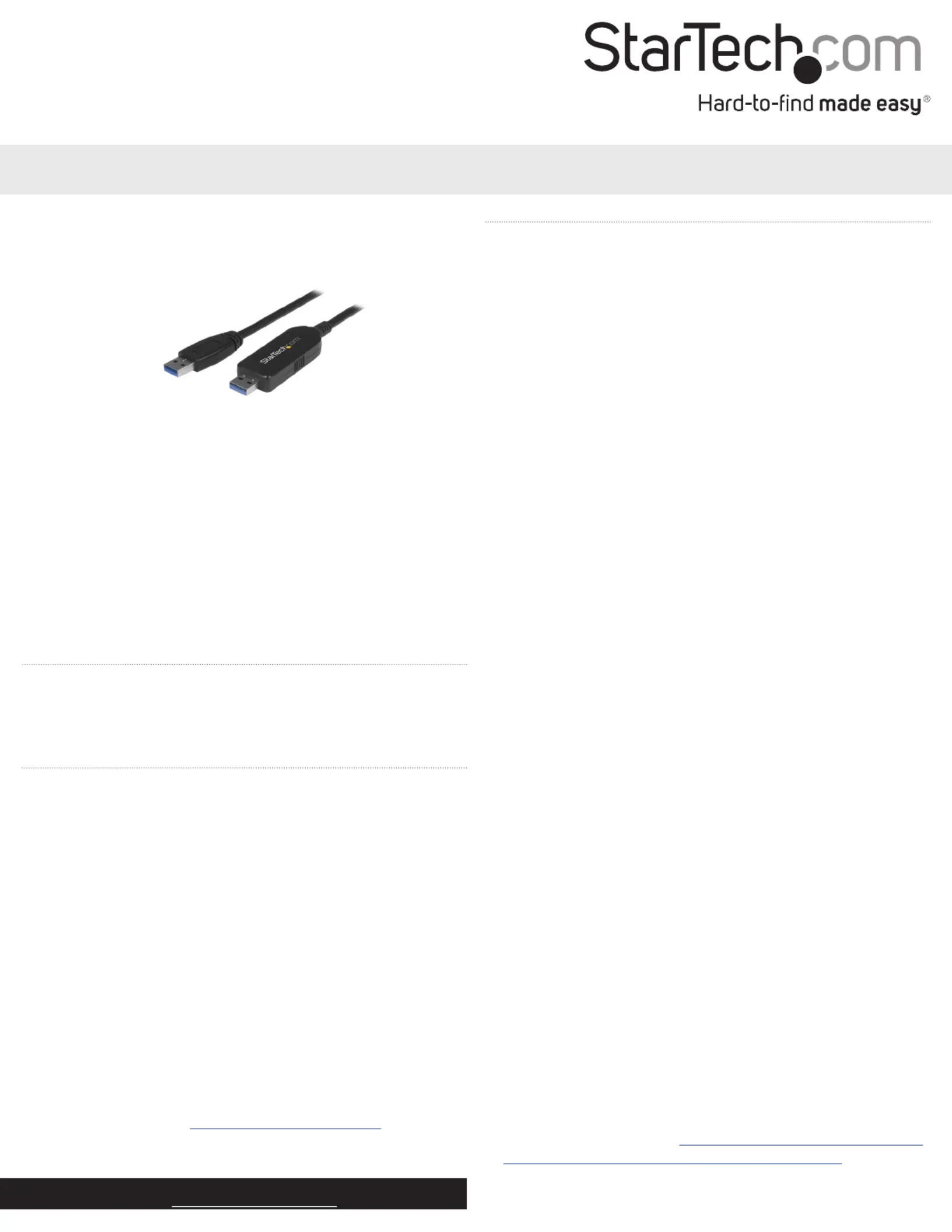
USB 3.0 transfer cable for Mac and PC
*actual product may vary from photos
Download Windows Easy Transfer
If the source computer (the computer that you’re transferring data
from) and/or the destination computer (the computer that you’re
transferring data to) are running Windows XP or Windows Vista, you
must download Windows Easy Transfer before you transfer data.
1. On the computer or computers running Windows XP or
Windows Vista, navigate to http://windows.microsoft.com/en-us/
windows7/products/features/windows-easy-transfer.
2. Depending on the operating system version that you’re running,
click either or .Download 32-bit Download 64-bit
Using USB3LINK
The USB3LINK cable supports both Windows Easy Transfer and PC-
Linq. You can use Windows Easy Transfer and the USB3LINK cable
to transfer your les, user accounts, and program settings from one
Windows computer to another Windows computer.
Windows Easy Transfer supports the following transfer modes:
• Windows XP to Windows Vista, Windows 7, or Windows 8
• Windows 7 to Windows 7 or Windows 8
• Windows Vista to Windows Vista, Windows 7, or Windows 8
• Windows 8 to Windows 8
You can also use the USB3LINK cable with PC-Linq to transfer les
from one computer to another computer, and control the le
directories on both computers at the same time. PC-Linq supports
le transfer between supported operating systems, including
Windows 8.1 and Mac OS 10.9 and later.
Use PC-Linq to transfer les
Note: In order to use PC-Linq, you need to have the Windows Easy
Transfer drivers installed on your computers running Windows.
The Windows Easy Transfer drivers come installed on Windows 7,
Windows 8, and Windows 8.1. If you’re using a computer that’s
running Windows XP or Windows Vista, you need to download
Windows Easy Transfer. For more information, see Download
Windows Easy Transfer.
1. Connect the USB3LINK cable to the USB port on the computer
that you’re transferring les from.
2. In the Easy Transfer Cable dialog box, click Cancel.
3. Navigate to the drive on your computer and Removable Disk
double-click the PC-Linq application.
4. To install PC-Linq, follow the instructions in the InstallShield
wizard.
5. After the installation is complete, open PC-Linq on the computers
that you’re transferring les between.
6. Connect the USB3LINK cable to the USB ports on the computers
that you’re transferring les between.
7. When the Connection Status LED in the lower-right corner of the
PC-Linq program window is green, you can transfer les between
the connected computers.
8. Drag and drop the les and folders that you want to transfer.
Problemløsning StarTech.com USB3LINK
Hvis du har læst manualen omhyggeligt, men ikke fundet en løsning på dit problem, bed andre brugere om hjælp
Specifikationer
| Vægt: | 72 g |
| Antal pr. pakke: | 1 stk |
| Brugervejledning: | Ja |
| Produktfarve: | Sort |
| Pakkevægt: | 128 g |
| Pakkedybde: | 163 mm |
| Pakkebredde: | 131 mm |
| Pakkehøjde: | 32 mm |
| Dimensioner (BxDxH): | 24 x 1800 x 11.5 mm |
| Certificering: | CE, FCC |
| LED-indikatorer: | Activity, Link |
| Kabellængde: | 1.8 m |
| Harmoniseret systemkode (HS): | 84733080 |
| USB version: | USB 3.2 Gen 1 (3.1 Gen 1) |
| Bæredygtighedscertifikater: | RoHS |
| Understøttede Mac-operativsystemer: | Mac OS X 10.10 Yosemite, Mac OS X 10.11 El Capitan, Mac OS X 10.7 Lion, Mac OS X 10.8 Mountain Lion, Mac OS X 10.9 Mavericks |
| Hovedkassen højde (udvendigt): | 290 mm |
| Hovedkassens længde (udvendigt): | 490 mm |
| Hovedkassens bredde (udvendigt): | 350 mm |
| Maksimal dataoverførselshastighed: | 5000 Mbit/s |
| Plug and play: | Ja |
| Produkter pr. hovedkasse (udvendigt): | 60 stk |
| Stik 1: | USB A |
| Stik 2: | USB A |
| Stik 1 køn: | Hanstik |
| Stik 2 køn: | Hanstik |
| Stik køn: | Hanstik/Hanstik |
| Stik 1 formfaktor: | Lige |
| Stik 2 formfaktor: | Lige |
| Kabel kappemateriale: | Plast |