StarTech.com
Audio/video konverter
DVI2DPA
StarTech.com DVI2DPA Brugsanvisning
Her er StarTech.com DVI2DPA (Audio/video konverter) brugervejledning. 2 sider på sprog med en vægt på 459,449.0 Mb. Hvis du ikke kan finde svar på dit problem Spørg vores community.
Side 1/2
Instruction Manual
DE: Bedienungsanleitung - de.startech.com
FR: Guide de l'utilisateur - fr.startech.com
ES: Guía del usuario - es.startech.com
I T: Guida per l'uso - it.startech.com
NL: Gebruiksaanwijzing - nl.startech.com
P T: Guia do usuário - pt.startech.com
Manual Revision: 10/30/2015
For the most up-to-date information, please visit: www.startech.com
Packaging Contents
• 1 x DVI to DisplayPort Adapter
• 1 x DisplayPort Cable
• 1 x 1 x 3.5mm Audio Cable
• 1 x USB type mini-B to USB A Cable
• 1 x Instruction Manual
System Requirements
• DVI-D enabled video source device (e.g. computer)
• Two adjacent USB ports on the video source device
• DisplayPort enabled display device (e.g. monitor)
DVI2DPA
DVI to DisplayPort Adapter with Audio
*actual product may vary from photos
Installation
To ensure the best results, make sure all devices are powered o
before beginning the installation.
1. Connect the DVI connector on the video converter directly to a
DVI-D enabled video source (i.e. computer).
2. Using the included USB type mini-B to USB A cable, connect the
video converter to a USB power source.
3. OPTIONAL: If using audio, connect a 3.5mm audio cable from the
sound card to the video converter.
4. Connect a DisplayPort cable (sold separately) from the DisplayPort
connector on the video converter, to the external display
(i.e. monitor).
5. Power on the display.
6. Power on the video source.
The DVI2DPA DVI to DisplayPort Adapter (with 2-Channel Audio)
converts a DVI-D (Digital), Mini-DVI or HDMI source signal and
accompanying audio, for use with a DisplayPort monitor.
Supporting resolutions up to 1920x1200, this USB-Powered device
oers easy plug-and-play installation with both PC and Mac®
platforms, ensuring seamless operation with your DisplayPort
display to save the time and hassle of hardware upgrades.
A complete, out-of-the-package solution, this DVI DisplayPort
adapter includes all cables necessary for connecting a DVI-D video
source and accompanying audio (3.5mm stereo audio) to any
DisplayPort monitor, and can also be used with Mini DVI or Mini
HDMI sources using additional cables (sold separately).
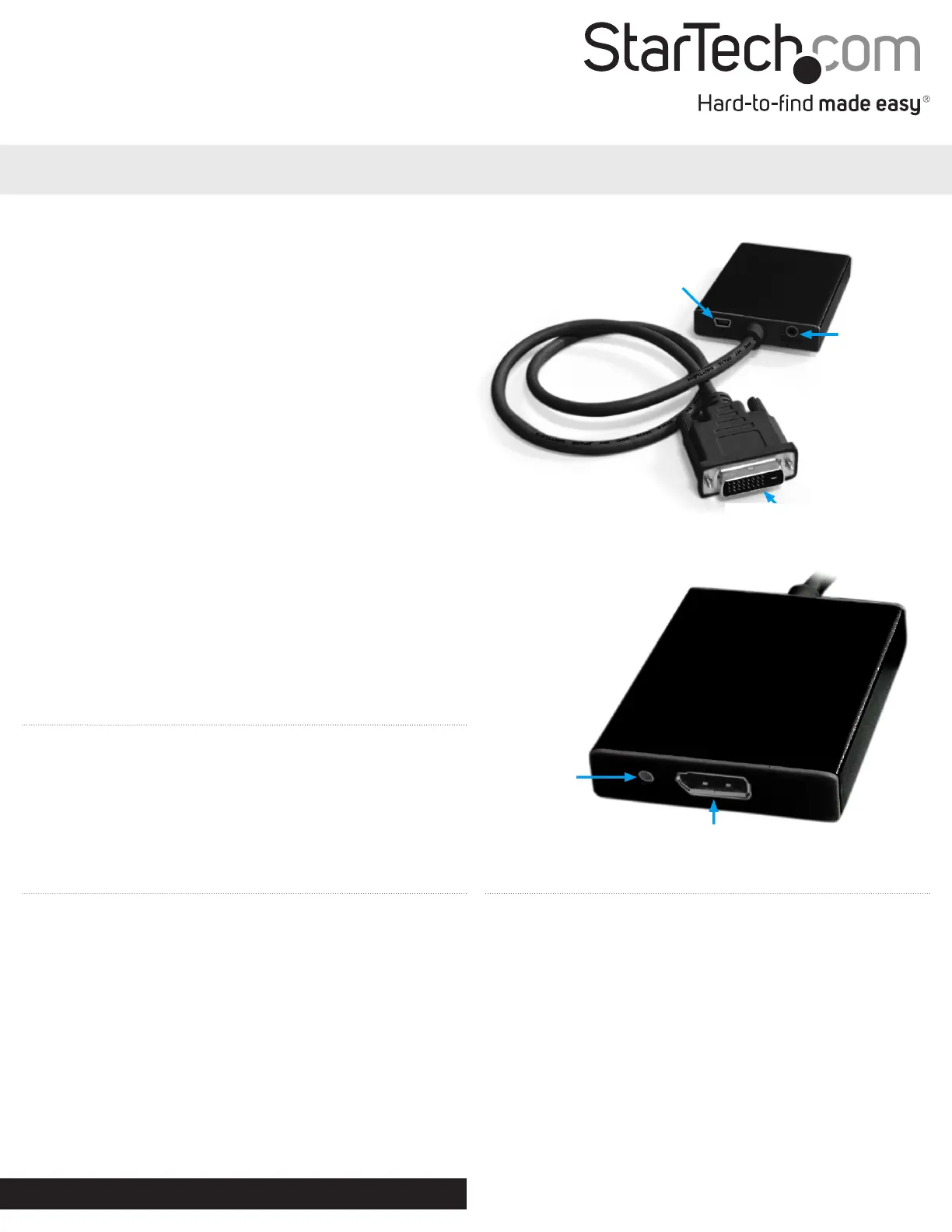
USB mini-B
connector
3.5mm Audio
mini-jack
DVI-D
connector (input)
Activity LED
DisplayPort connector
Problemløsning StarTech.com DVI2DPA
Hvis du har læst manualen omhyggeligt, men ikke fundet en løsning på dit problem, bed andre brugere om hjælp
Specifikationer
| Vægt: | 200 g |
| Brugervejledning: | Ja |
| Produktfarve: | Sort |
| Pakkedybde: | 200 mm |
| Pakkebredde: | 200 mm |
| Pakkehøjde: | 1 mm |
| Dimensioner (BxDxH): | 63.5 x 76.2 x 6.6 mm |
| Kabler inkluderet: | DVI |
| Certificering: | CE, FCC, RoHS |
| Indgangsspænding: | 5 V |
| Maksimal videoopløsning: | 1920 x 1200 pixel |
| Værtsgrænseflade: | DVI-D |
| Plug and play: | Ja |
| USB-drevet: | Ja |
| Output-grænseflade: | DisplayPort |