StarTech.com
Ikke kategoriseret
CABLE-ORGANIZER-LOCK
StarTech.com CABLE-ORGANIZER-LOCK Brugsanvisning
Her er StarTech.com CABLE-ORGANIZER-LOCK (Ikke kategoriseret) brugervejledning. 4 sider på sprog Engelsk med en vægt på 0.3 Mb. Hvis du ikke kan finde svar på dit problem Spørg vores community.
Side 1/4
Manual
For additional self-service support options and community forums, please visit: www.StarTech.com/support
Revision: June 5, 2024
Product ID:
2
3
1
4
5
Security Lock For Keyboard and Mouse - Up to Three Peripherals
CABLE-ORGANIZER-LOCK
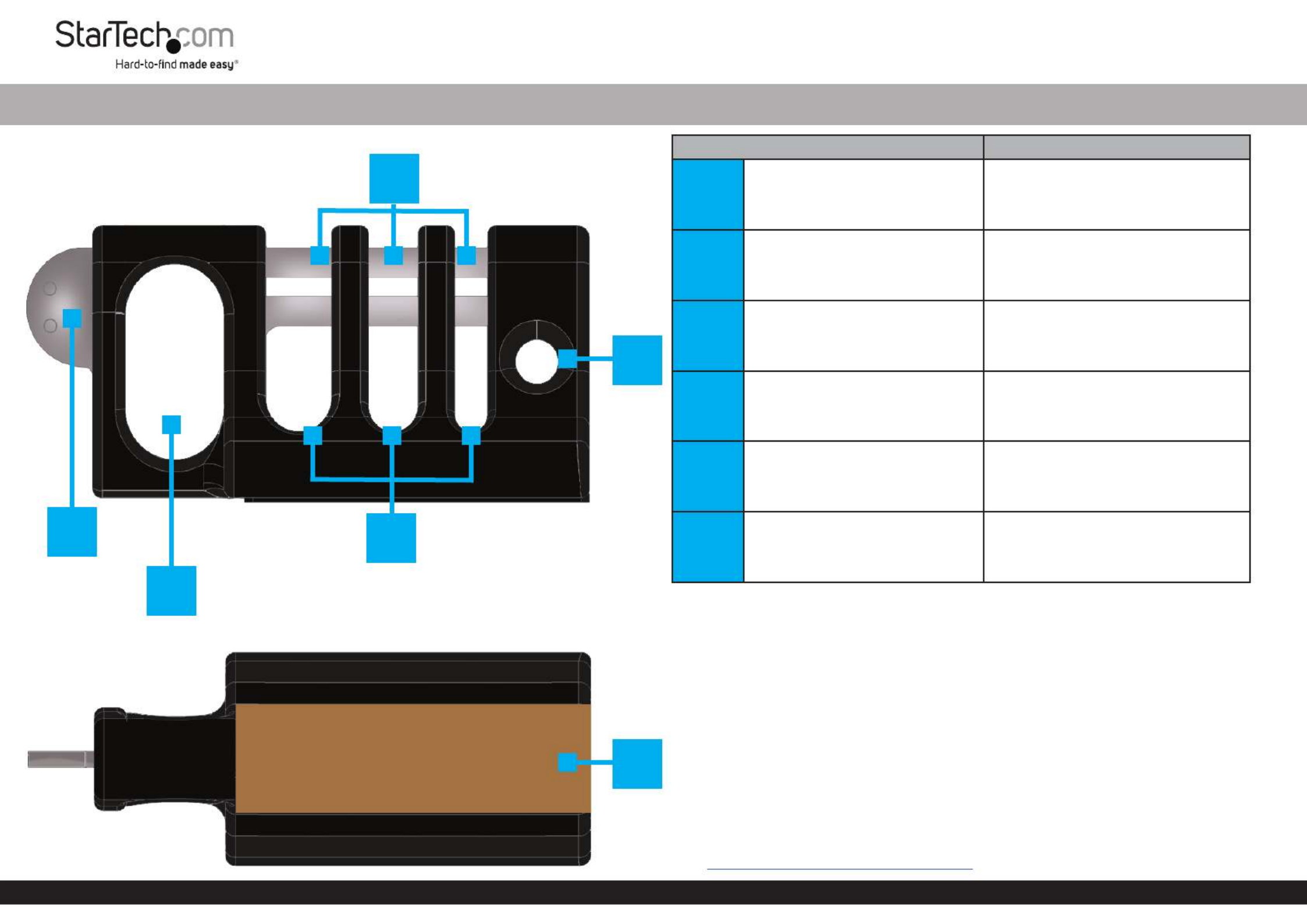
Product Diagrams (Front) Component Function
1Collector Buckle • Slides In or Out to Secure or Release
the Cables Routed Through the
Cable Channels
2Collector Buckle Pull-Tab • Grasp to Slide the Collector Buckle
In or Out
3Lock Hole
• Secure the in Place Collector Buckle
by Routing Either the Shackle of a
Lock Tether Cable or a Through the
Designated Lock Hole
4Cable Channels • Route through Peripheral Cables
the Designated Cable Channels
5Tether-Cable Channel • Route a to Secure this Tether Cable
Security Lock to the Work Station
6Preinstalled
Adhesive Strip • Adhere the Cable-Organizer Lock
to a Surface
Package Contents
• Cable-Organizer Lock
• Adhesive Strip (Preinstalled)
• Quick-Start Guide
Requirements
• Peripheral Cables (Up to 3)
• Surface (For Adhering the )Cable-Organizer Lock
• Tether Cable
• Lock (Optional)
For installation instructions, product information, and certication/compliance documents, please
visit: www.StarTech.com/CABLE-ORGANIZER-LOCK
(Bottom)
6
Problemløsning StarTech.com CABLE-ORGANIZER-LOCK
Hvis du har læst manualen omhyggeligt, men ikke fundet en løsning på dit problem, bed andre brugere om hjælp
Specifikationer
| Mærke: | StarTech.com |
| Kategori: | Ikke kategoriseret |
| Model: | CABLE-ORGANIZER-LOCK |