StarTech.com
Router
USB56KEMH
StarTech.com USB56KEMH Brugsanvisning
Her er StarTech.com USB56KEMH (Router) brugervejledning. 2 sider på sprog med en vægt på 511,158.0 Mb. Hvis du ikke kan finde svar på dit problem Spørg vores community.
Side 1/2
Instruction Manual
DE: Bedienungsanleitung - de.startech.com
FR: Guide de l'utilisateur - fr.startech.com
ES: Guía del usuario - es.startech.com
IT: Guida per l'uso - it.startech.com
NL: Gebruiksaanwijzing - nl.startech.com
PT: Guia do usuário - pt.startech.com
Manual Revision: 11/03/2016
For the most up-to-date information, please visit: www.startech.com
Packaging Contents
• 1 x USB Modem
• 1 x RJ11 Cable
• 1 x Driver CD
• 1 x Instruction Manual
System Requirements
• USB enabled computer system with available USB port
• Windows® 8.1, 8 (32/64-bit), 7 (32/64), Vista (32/64), XP SP3 (32/64)
Windows® Server 2008 R2, 2003 (32/64)
Mac OS 10.7 and up (tested up to 10.10)
USB56KEMH
External V.92 56K USB Data/Fax Modem - Hardware Based
Installation
Windows 2000/XP/Server 2003
1. Upon starting Windows, if the “Found New Hardware” wizard
appears on the screen, cancel/close the window and insert the
included Driver CD into the computer’s CD/DVD drive.
2. AutoRun will automatically launch the Driver/Software installation
splash screen. If not, open “My Computer” and right-click on the
CD/DVD drive the disk is inserted into and select “AutoRun”.
3. Select the option to install the Drivers, then select your operating
system version. This should then launch the Driver
Installation wizard.
4. Complete the wizard and this should automatically install all
necessary drivers/software.
Windows Vista/7/Server 2008 R2
1. Upon starting Windows, if the “Found New Hardware” wizard
appears on the screen, cancel/close the window or choose not
to install the drivers and insert the included Driver CD into the
computer’s
CD/DVD drive.
2. AutoRun should automatically launch the Driver/Software
installation splash screen or prompt you to run AutoRun.exe. If
not, open “Computer” and right-click on the CD/DVD drive the
disk is inserted into and select “AutoRun”.
3. Select the option to install the Drivers, then select your operating
system version. This should then launch the Driver Installation
wizard.
4. Complete the wizard and this should automatically install all
necessary drivers/software.
*actual product may vary from photos
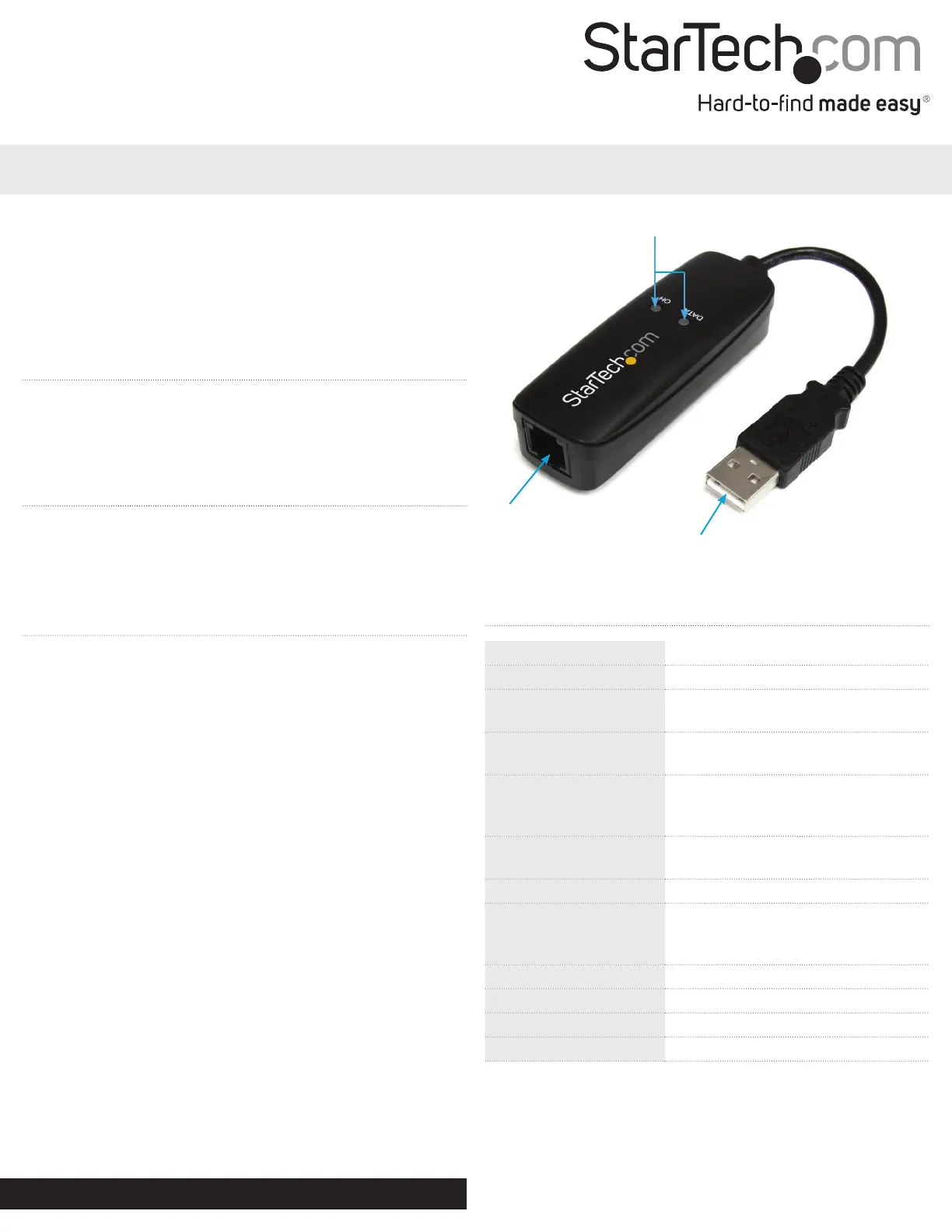
USB type A connector
RJ11
connector
LED indicators
Specications
Host Interface USB 1.1
Chipset Conexant - CX93010
LEDs
1 x Data
1 x On Hold
Connectors
1 x RJ11 Female
1 x USB A Male
Supported Modulations
(Modem)
ITU-T V.92/V.90, V.34, V.32bis, V.32,
V.22bis, V.22, V.23, V.21 Bell 212A and
Bell 103
Supported Modulations
(Fax)
V.17, V.29, V.27 Ter, V.21 Channel 2
Data Compression V.44
Max Data Transfer Rate
56 Kbps Down
36.6 Kbps Up
Fax: 14.4 Kbps
Power Adapter USB-Powered
Enclosure Material Plastic
Operating Temperature 0°C to 55°C (32°F to 122°F)
Storage Temperature -20°C to 70°C (-4°F to 158°F)
Problemløsning StarTech.com USB56KEMH
Hvis du har læst manualen omhyggeligt, men ikke fundet en løsning på dit problem, bed andre brugere om hjælp
Specifikationer
| Bredde: | 27 mm |
| Dybde: | 77 mm |
| Højde: | 20 mm |
| Vægt: | 30 g |
| Pakkevægt: | 150 g |
| Pakkedybde: | 163 mm |
| Pakkebredde: | 136 mm |
| Pakkehøjde: | 32 mm |
| Opbevaringstemperatur (T-T): | -20 - 70 °C |
| Relativ luftfugtighed ved drift (H-H): | 10 - 90 % |
| Driftstemperatur (T-T): | 0 - 55 °C |
| Modemhastighed: | 56 Kbit/s |
| Kompatible operativsystemer: | Windows 8.1 (32/64bit), 8 (32/64), 7 (32/64), Vista(32/64), XP(32/64), Server 2012 2008 R2, 2003(32/64), Mac OS 10.7 |
| Grænseflade: | USB2.0 |
| Intern: | Ingen |
| USB-drevet: | Ja |
| Datakomprimering: | V.44, V.42bis, MNP 5 |
| Modem-porte (RJ-11): | 1 |
| Chipsæt: | Conexant CX93010 |