Panasonic Lumix DMC-F7 Brugsanvisning
Her er Panasonic Lumix DMC-F7 (Kamera) brugervejledning. 21 sider på sprog Engelsk med en vægt på 2.2 Mb. Hvis du ikke kan finde svar på dit problem Spørg vores community.
Side 1/21
18
Operating pictures
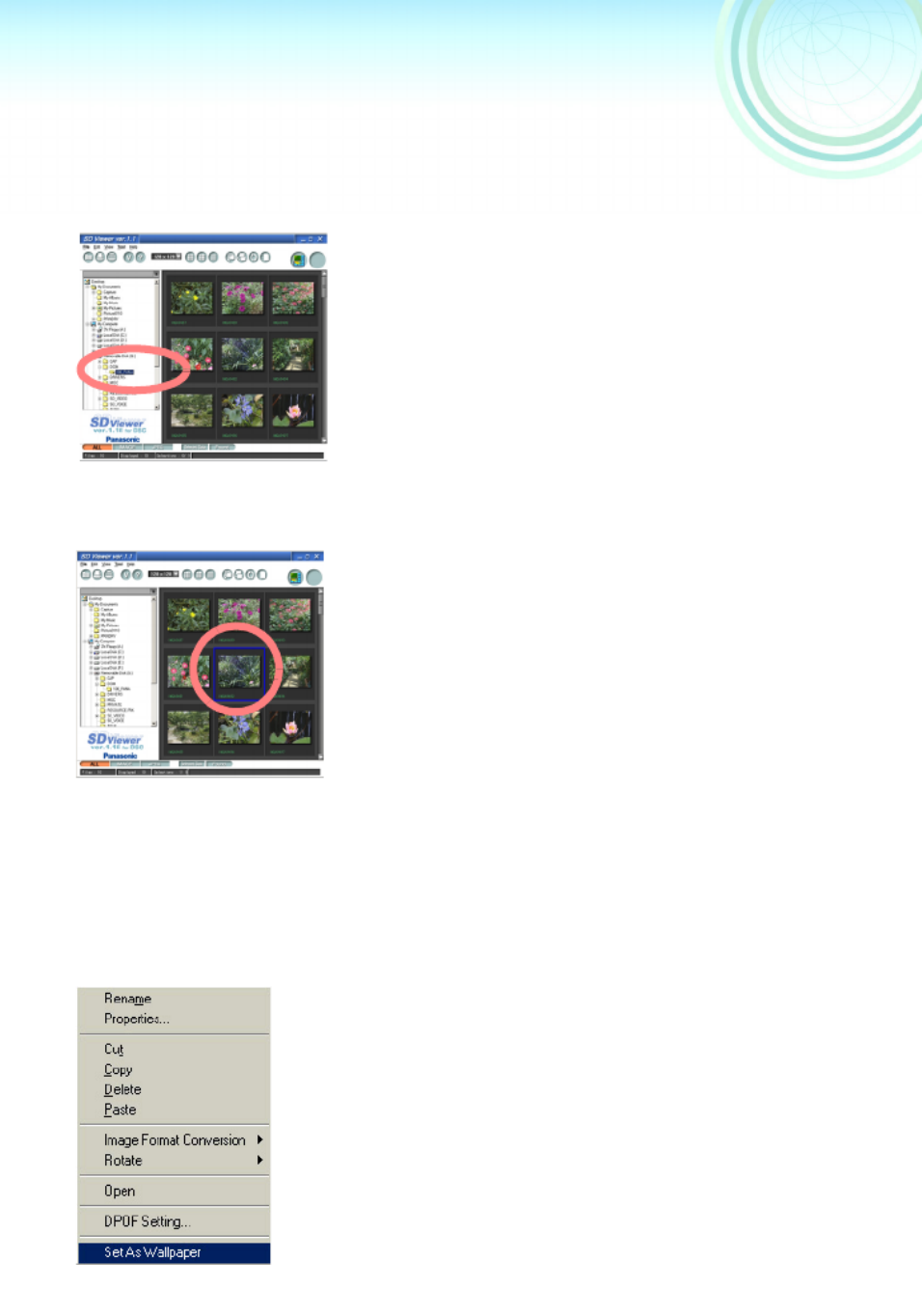
Selecting pictures
1 1 1 1
Click on the folder containing the
picture in the [Folder Bar]
Files in the folder are displayed.
2 2 2 2
Select the picture by clicking on it
A blue frame appears around the
selected picture.
≥On double clicking, selected pictures are
displayed in full screen. (To close, click on
the screen)
Selecting multiple pictures
Select by holding down the [Ctrl] key and
clicking on each desired picture
Selecting a continuous range of
multiple pictures
After selecting the first picture, complete
the selection by holding down the [Shift]
key and clicking on the last picture
Selecting all displayed pictures
Click on [Edit] >>> [Select All]
Canceling the selection
Click on [Edit] >>> [Deselect All]
Swap selected pictures with pictures
which are not selected
Click on [Edit] >>> [Invert Selection]
Making the picture into Wallpaper
1 1 1 1
Right click on the picture which is to be
made into Wallpaper, and Click on [Set
As Wallpaper]
The picture will be displayed on the
desktop.
≥
If the wallpaper is not displayed on the desktop, to
display it click on the desktop and press key [F5].
1111
2
22
2
Problemløsning Panasonic Lumix DMC-F7
Hvis du har læst manualen omhyggeligt, men ikke fundet en løsning på dit problem, bed andre brugere om hjælp
Specifikationer
| Mærke: | Panasonic |
| Kategori: | Kamera |
| Model: | Lumix DMC-F7 |