LG
Klimaanlæg
M19EKH
LG M19EKH Brugsanvisning
Her er LG M19EKH (Klimaanlæg) brugervejledning. 2 sider på sprog Engelsk med en vægt på 0.1 Mb. Hvis du ikke kan finde svar på dit problem Spørg vores community.
Side 1/2
Choose Wi-Fi on your computer,
smartphone or tablet settings, then
select your Mobile Wi-Fi network
name.
Enter the password to connect and
open the web app.
When you rst connect to the
network you may be asked to activate
your SIM. If you’re asked to unlock
your SIM card, go to
http://vodafonemobile.wi
and enter the PIN for your SIM.
Turn over for more information about
using your Vodafone Mobile Wi-Fi.
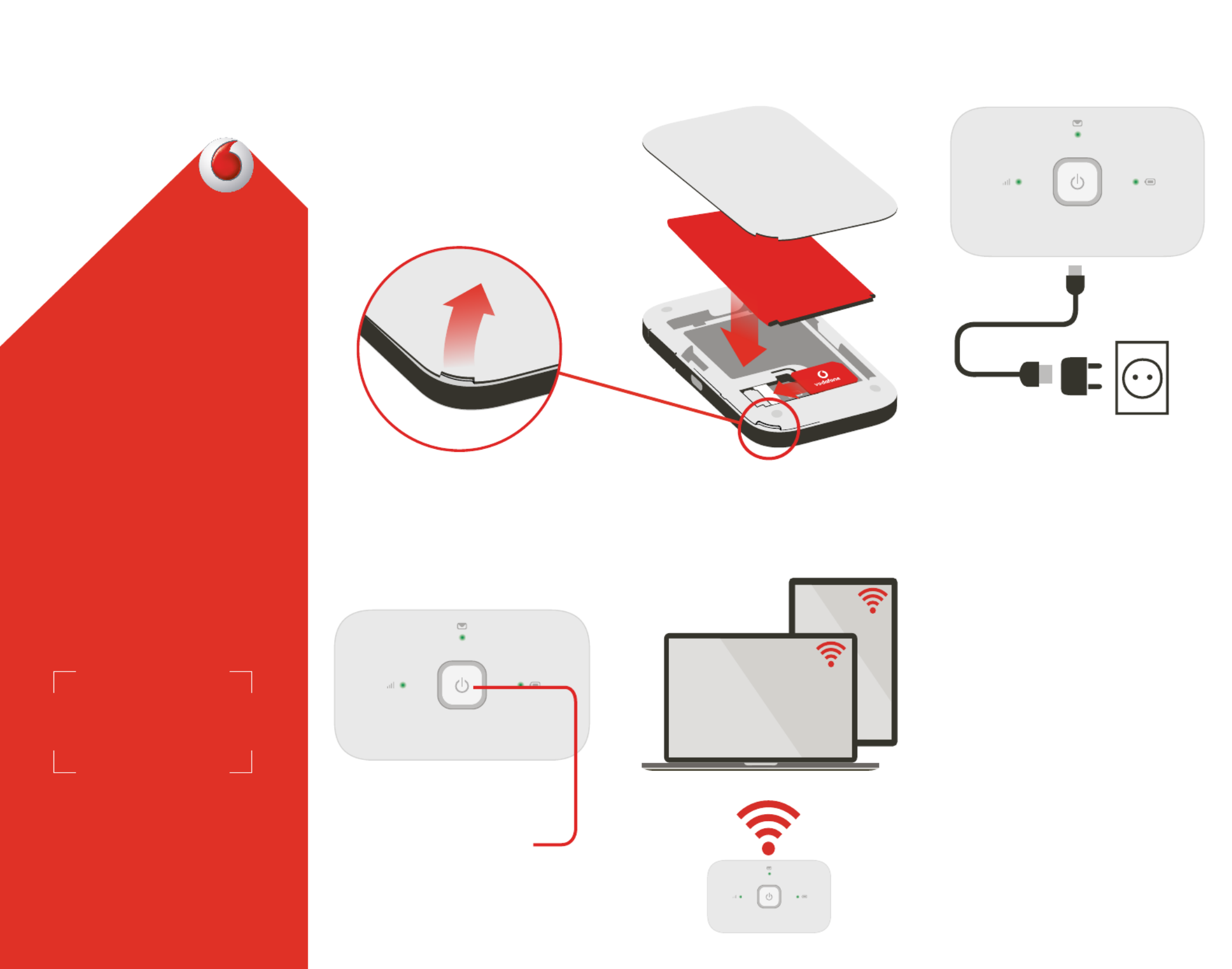
1 Open 2 Insert SIM &
battery
3 Charge
4 Start 5 Connect
Get connected
Vodafone Mobile Wi-Fi
R216
Vodafone
Power to you
Push and hold the power key
Note: you can use your computer’s
USB port for power as well.
Your Vodafone Mobile Wi-Fi
network name & password
SSID sticker here
SSID sticker here
Problemløsning LG M19EKH
Hvis du har læst manualen omhyggeligt, men ikke fundet en løsning på dit problem, bed andre brugere om hjælp
Specifikationer
| Mærke: | LG |
| Kategori: | Klimaanlæg |
| Model: | M19EKH |