Brother DCP-J1313DW Brugsanvisning
Her er Brother DCP-J1313DW (Printer) brugervejledning. 6 sider på sprog med en vægt på 897,382.0 Mb. Hvis du ikke kan finde svar på dit problem Spørg vores community.
Side 1/6
1
EN
Quick Setup Guide
DCP-J1310DW / DCP-J1313DW / DCP-J1360DW / DCP-J1460DW
MFC-J4350DW / MFC-J4550DW
D037JM001-00
UK
Version 0
The latest manuals are available at the Brother
support website: support.brother.com/manuals
Continue to the next column
Read the Product Safety Guide first, then read this Quick Setup Guide for the correct installation procedure.
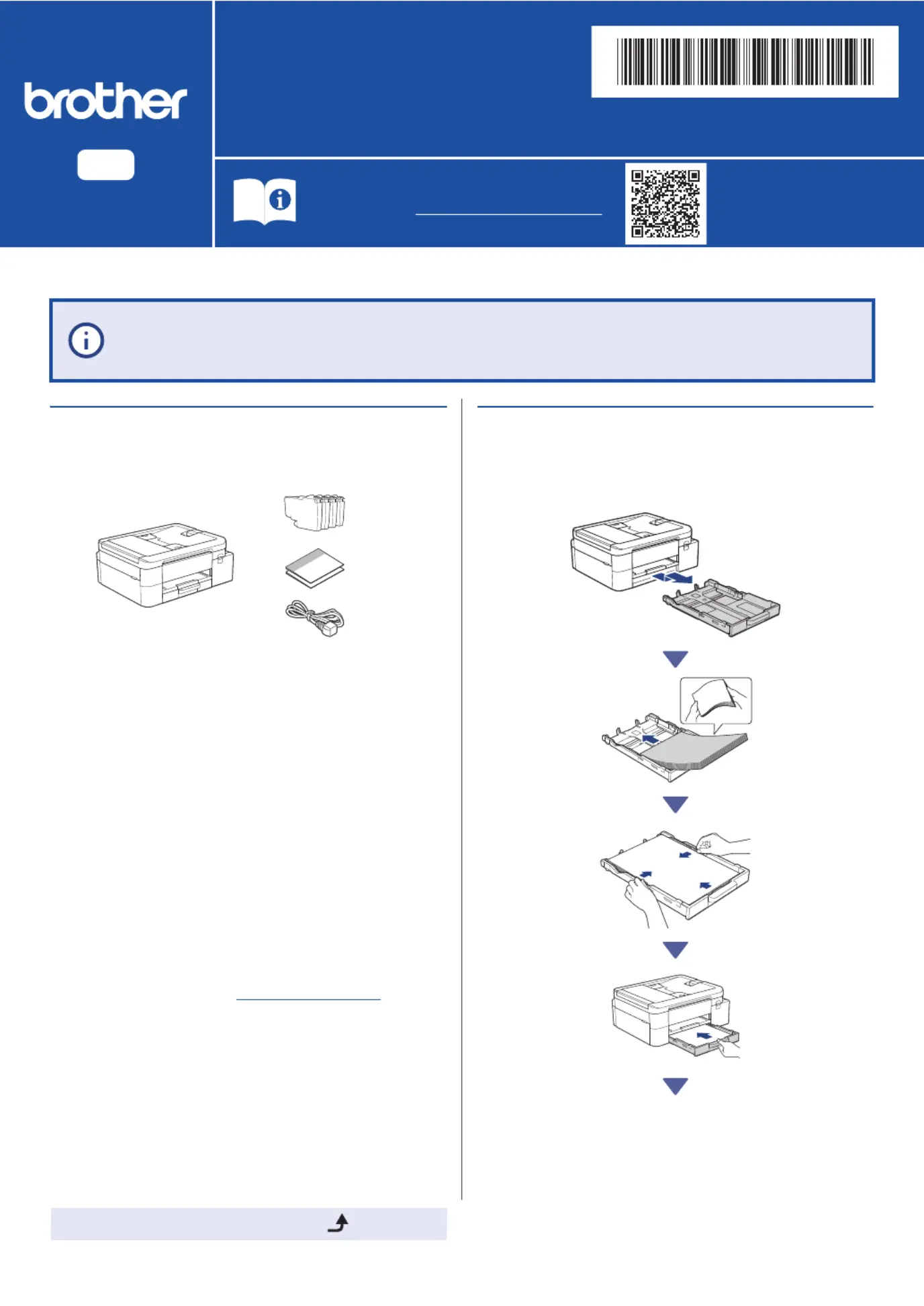
a
Unpack the machine and
check the components
Remove the protective tape or film covering the
machine and the supplies.
b
Load plain A4 paper in the
paper tray
If you have followed the instructions in the printed Quick Setup Guide included with your
machine and selected step 5-B "Set up from the machine's control panel", go directly to step
5-B in this guide.
NOTE
• The illustrations in this guide may not match your model
exactly, but the steps are the same for each model.
• The components may differ depending on your country.
• Save all packing materials and the box in case you need to
ship your machine.
• If you use a wired connection, you must purchase the correct
interface cable for the interface you want to use. (Supported
models only)
USB cable: Use a USB 2.0 cable (Type A/B) that is no more
than 2 metres long (included in some countries).
Ethernet (Network) cable: Use a straight-through Category
5 (or greater) twisted-pair cable for 10BASE-T or
100BASE-TX Fast Ethernet Network (not included).
• Brother aims to reduce waste and save both raw materials
and the energy required to produce them. Read more about
our environmental work at
www.brotherearth.com.
Problemløsning Brother DCP-J1313DW
Hvis du har læst manualen omhyggeligt, men ikke fundet en løsning på dit problem, bed andre brugere om hjælp
Specifikationer
| Mærke: | Brother |
| Kategori: | Printer |
| Model: | DCP-J1313DW |