Atlona
Stikkontakt
AT-HDVS-TX-WP-NB
Atlona AT-HDVS-TX-WP-NB Brugsanvisning
Her er Atlona AT-HDVS-TX-WP-NB (Stikkontakt) brugervejledning. 1 sider på sprog med en vægt på 123,389.0 Mb. Hvis du ikke kan finde svar på dit problem Spørg vores community.
Side 1/1
atlona.com
Toll free: 1-877-536-3976
Local: 1-408-962-0515
AT-HDVS-TX-WP-NB
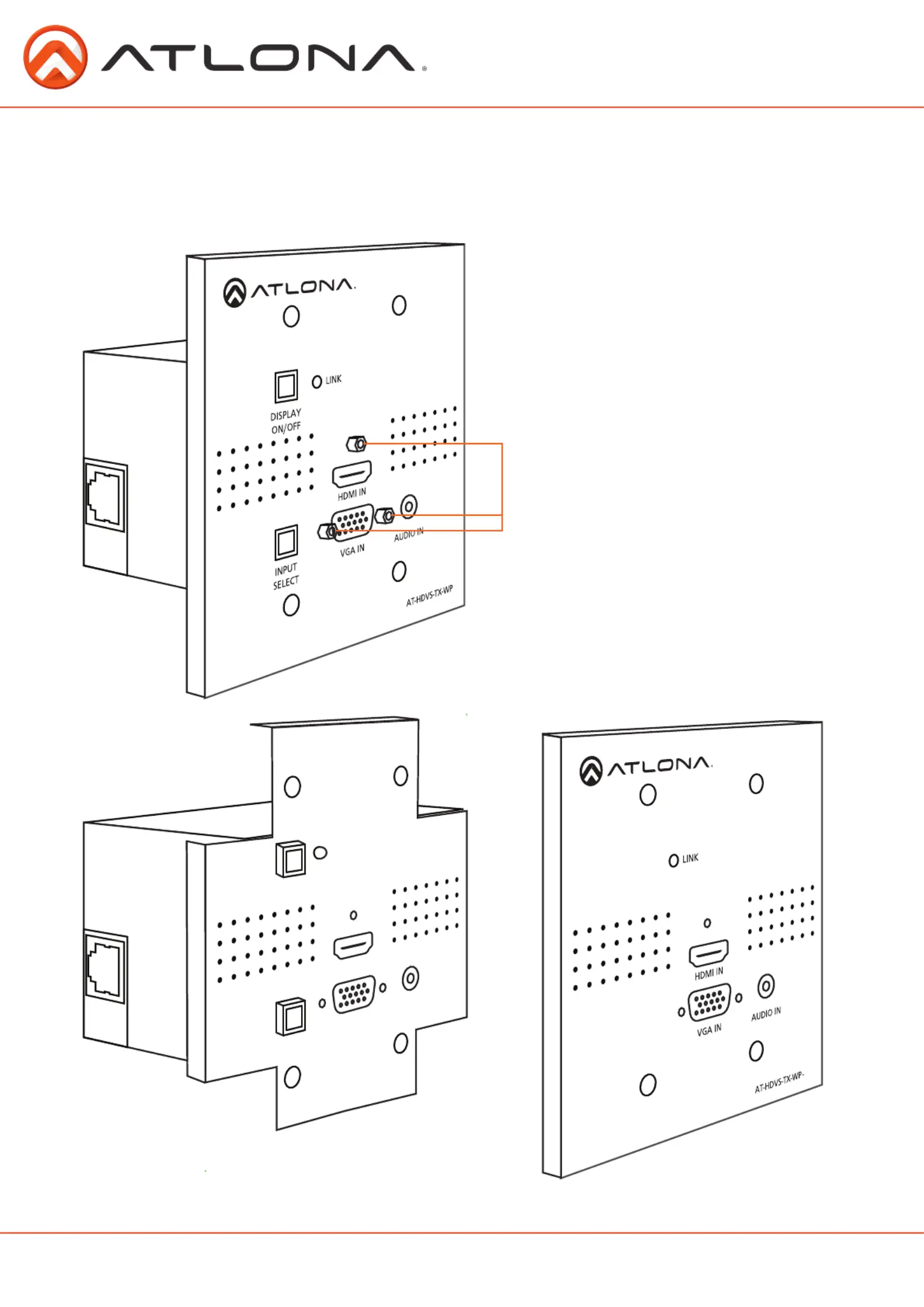
The AT-HDVS-TX-WP-NB is a no-button face plate for US HDVS and HDVS-150 wall plate modules.
HDVS and HDVS-150 purchased separately.Note:
Once the screws are removed, pull the face plate off the back box. (see
below)
Remove the screws from the HDMI and VGA
ports before removing the faceplate.
NB
Use a set of pliers to grab hold of the buttons, turn them slightly to
the left as they are pulled off.
Once the buttons are removed, place the AT-HDVS-TX-WP-NB on the front of the HDVS wall plate and replace the
screws. Installation is complete and the HDVS is ready to be used again.
Problemløsning Atlona AT-HDVS-TX-WP-NB
Hvis du har læst manualen omhyggeligt, men ikke fundet en løsning på dit problem, bed andre brugere om hjælp
Specifikationer
| Antal pr. pakke: | 1 stk |
| Produktfarve: | Metallic |
| Harmoniseret systemkode (HS): | 85389099 |