Asus
Computertaske
TM-551
Asus TM-551 Brugsanvisning
Her er Asus TM-551 (Computertaske) brugervejledning. 2 sider på sprog Engelsk med en vægt på 1.2 Mb. Hvis du ikke kan finde svar på dit problem Spørg vores community.
Side 1/2
English
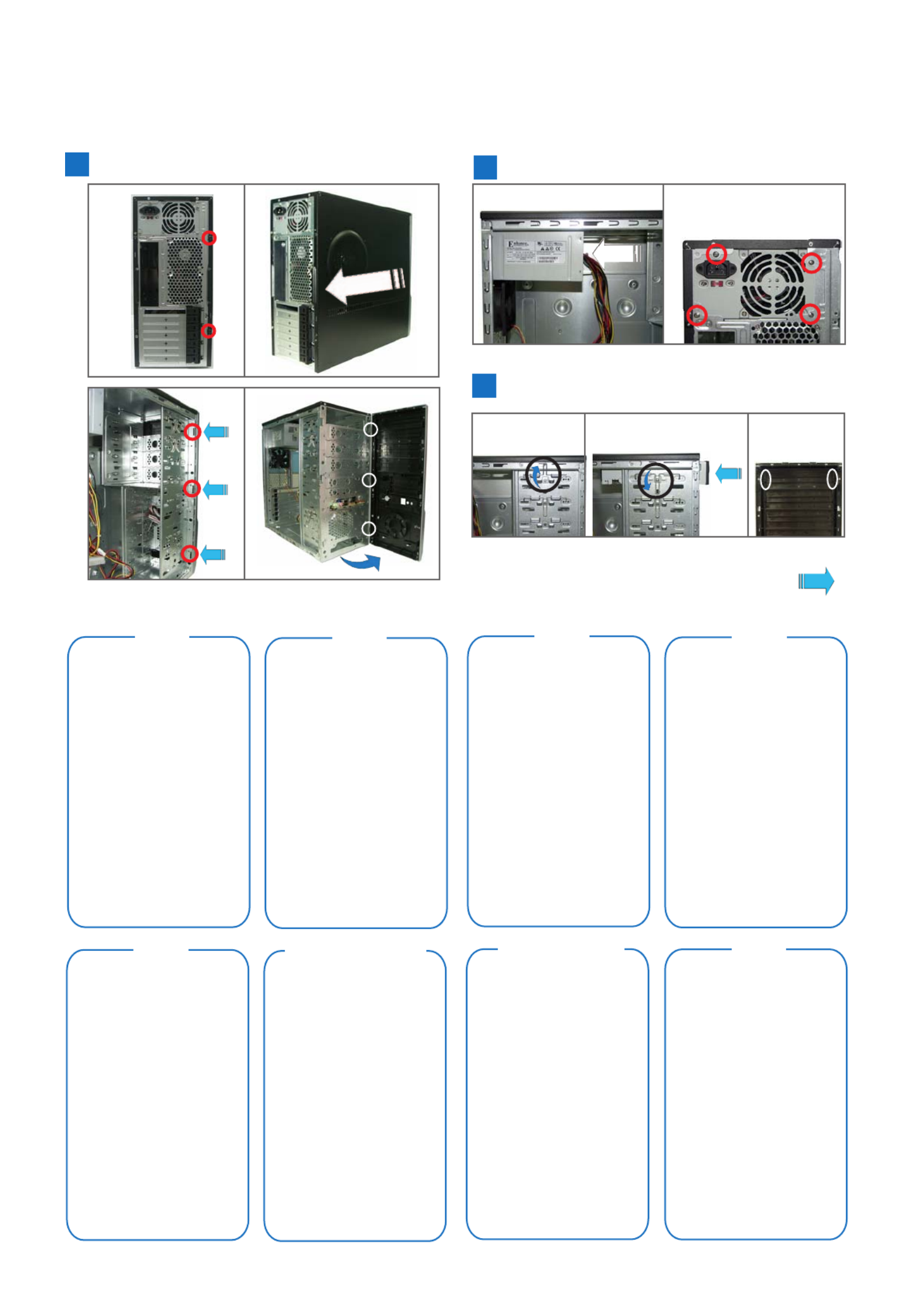
A
1. Remove the screws on the rear panel.
2. Push the side cover towards the rear
panel.
3. Release the side tabs that secure the
front bezel to the chassis.
4. Swing the front bezel in the direction of
the arrow. Unhook the hinge-like tabs.
B
1. Slide the PSU into the slot until it snugly
fits the metal rail.
2. Secure with screws.
C
1. Push the bay lock upward.
2. Insert the ODD into the bay.
3. Align the ODD holes with the bay holes,
then push down the bay lock to secure the
ODD.
4. Release the lock tabs on the front bezel
to disengage the drive cover.
Russian
German
Traditional Chinese
French
Simplified Chinese Arabic
Spanish
C Installing an optical disk drive (ODD)
124
3
B Installing the power supply unit (PSU)
21
Continued at the back
A Removing the side cover and front bezel
1 2
34
E2461
TA-TM5 Series (Screwless Model)
Problemløsning Asus TM-551
Hvis du har læst manualen omhyggeligt, men ikke fundet en løsning på dit problem, bed andre brugere om hjælp
Specifikationer
| Mærke: | Asus |
| Kategori: | Computertaske |
| Model: | TM-551 |